
Split in 3 interest-free payments of with  Learn More
Buy Now. Pay Later.
Select Klarna as your payment method at checkout to pay in instalments.
Pay in 3 installments of
Interest free
Pay in 30 days
Buy now, pay later.
Pay now
In full
Pay in 3 interest-free payments of with  Learn More
Pay in 3
Make one payment today, then pay the rest in two interest-free monthly payments.
Pay in 3 installments of
Interest free
Pay now
In full
Enhance the safety and convenience of your Audi A7—from the 2010 model year onwards—with our cutting-edge Reversing Camera Retrofit Interface. This advanced upgrade is engineered specifically for vehicles equipped with 3G, 3G+, RMC, MIB1, MIB2, or MIB3 factory infotainment systems, offering broad compatibility across various generations of the A7.
Our retrofit integrates directly with your existing infotainment screen, preserving the factory look while dramatically enhancing functionality. The high-resolution camera engages automatically when reverse gear is selected, delivering a crisp, real-time view of the area behind your vehicle—right on your original screen. Where supported, dynamic parking guidelines respond fluidly to steering movement, offering intuitive guidance during tight manoeuvres and parking.
This retrofit system also retains full compatibility with your vehicle’s OEM parking sensors, allowing all factory features to function harmoniously. The installation results in a discreet, OEM-quality finish with no visible modifications—perfect for drivers who want modern safety features without compromising the original design of their Audi A7.
To ensure a flawless setup, professional in-store fitting is included with every purchase. Whether you’re navigating through narrow lanes or reversing into a snug parking space, this solution provides the safety, clarity, and confidence your Audi A7 deserves.
Compatible with Audi vehicles equipped with 3G/3G+ MMI, RMC, MIB1, MIB2, MIB3, infotainment systems. Please choose your Screen.


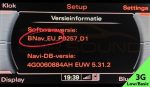


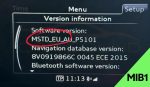


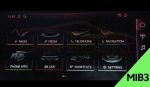

Audi’s with Highline versions show dynamic guidelines
Audi’s with Lowline just a static image.
*If you’re unsure about compatibility, please contact us with your VIN number and we’ll be happy to assist you*
✔ Reversing Camera Interface Module, Camera & Parts
✔ Installation at our workshop by our experienced installations team.
✔ Demonstration by one of our team members of how everything works with your vehicle.
Fitting can be tricky, particularly if you want to avoid the mess of trailing wires. Our fitting service puts the job in the hands of our experienced installation team, who will ensure that your purchased product(s) fit neatly and safely into your vehicle.
Make your life easier by choosing our fitting service option. We’ll handle the installation at our Ilford workshop (IG2 6QA) with precision and expertise. Trust us to make sure your product(s) is professionally fitted for optimal performance.
Once your purchase is complete, our friendly sales team will reach out within 24 hours to confirm the installation date and time you’ve selected. If your preferred slot isn’t available, no problem — we’ll work with you to find a date and time that suits you best to Install the product(s) you’ve chosen.
*Some vehicles may require additional work, and any extra charges will vary based on the type of vehicle. After inspecting your vehicle at drop-off, we’ll discuss all the details with you, ensuring you’re informed about any costs before we proceed with the installation or fitting of the product(s). Any additional parts needed will result in extra charges.*
*Aftermarket product, and all images and videos are for illustration purposes only*
Audi vehicles come equipped with a variety of factory navigation systems, depending on the model year, trim level, and optional features. At first glance, many of these systems appear nearly identical — they often start with the “Audi Multi Media Interface” welcome screen and share similar menu layouts. Because of this, it’s easy to mistake different MMI versions as the same. However, each system has distinct features and compatibility, which is why identifying the correct version is essential before choosing any upgrades.
If you’re unsure which type of factory radio or MMI software version your Audi has, don’t worry — we’ve created a simple guide to help you. With just a quick check of the MMI software version on your screen, you can easily identify your original Audi head unit and the system version installed from the factory. It’s easier than you think, and this chart will walk you through it step by step.
The easiest way to identify your MMI system is by checking the software version directly on your screen:
Setup MMI → Version Information.
Audi Engineering Red Menu
For older Audi models (mostly up to 2016), you can access the hidden Red Engineering Menu using one of the key combinations below:

Audi Engineering Green Menu
For older Audi models (mostly up to 2016), you can access the hidden Green Engineering Menu using one of the key combinations below:

Monochrome Display Detected – Not Compatible. Vehicles with a monochrome (red/black) MMI display are not supported by CarPlay Retro fit interface. These units typically do not include AUX or AMI input.


How Do I Know If I Need a Touch Screen Unit?
This unit is compatible with all Audi A1 8X models (2010–2018) that have a colour central display screen, including those equipped with RMC, RMC Nav, or MMI 3G systems.

Enhance the safety and convenience of your Audi A7—from the 2010 model year onwards—with our cutting-edge Reversing Camera Retrofit Interface. This advanced upgrade is engineered specifically for vehicles equipped with 3G, 3G+, RMC, MIB1, MIB2, or MIB3 factory infotainment systems, offering broad compatibility across various generations of the A7.
Our retrofit integrates directly with your existing infotainment screen, preserving the factory look while dramatically enhancing functionality. The high-resolution camera engages automatically when reverse gear is selected, delivering a crisp, real-time view of the area behind your vehicle—right on your original screen. Where supported, dynamic parking guidelines respond fluidly to steering movement, offering intuitive guidance during tight manoeuvres and parking.
This retrofit system also retains full compatibility with your vehicle’s OEM parking sensors, allowing all factory features to function harmoniously. The installation results in a discreet, OEM-quality finish with no visible modifications—perfect for drivers who want modern safety features without compromising the original design of their Audi A7.
To ensure a flawless setup, professional in-store fitting is included with every purchase. Whether you’re navigating through narrow lanes or reversing into a snug parking space, this solution provides the safety, clarity, and confidence your Audi A7 deserves.
Compatible with Audi vehicles equipped with 3G/3G+ MMI, RMC, MIB1, MIB2, MIB3, infotainment systems. Please choose your Screen.
Audi’s with Highline versions show dynamic guidelines
Audi’s with Lowline just a static image.
*If you’re unsure about compatibility, please contact us with your VIN number and we’ll be happy to assist you*
✔ Reversing Camera Interface Module, Camera & Parts
✔ Installation at our workshop by our experienced installations team.
✔ Demonstration by one of our team members of how everything works with your vehicle.
Fitting can be tricky, particularly if you want to avoid the mess of trailing wires. Our fitting service puts the job in the hands of our experienced installation team, who will ensure that your purchased product(s) fit neatly and safely into your vehicle.
Make your life easier by choosing our fitting service option. We’ll handle the installation at our Ilford workshop (IG2 6QA) with precision and expertise. Trust us to make sure your product(s) is professionally fitted for optimal performance.
Once your purchase is complete, our friendly sales team will reach out within 24 hours to confirm the installation date and time you’ve selected. If your preferred slot isn’t available, no problem — we’ll work with you to find a date and time that suits you best to Install the product(s) you’ve chosen.
*Some vehicles may require additional work, and any extra charges will vary based on the type of vehicle. After inspecting your vehicle at drop-off, we’ll discuss all the details with you, ensuring you’re informed about any costs before we proceed with the installation or fitting of the product(s). Any additional parts needed will result in extra charges.*
*Aftermarket product, and all images and videos are for illustration purposes only*
Audi vehicles come equipped with a variety of factory navigation systems, depending on the model year, trim level, and optional features. At first glance, many of these systems appear nearly identical — they often start with the “Audi Multi Media Interface” welcome screen and share similar menu layouts. Because of this, it’s easy to mistake different MMI versions as the same. However, each system has distinct features and compatibility, which is why identifying the correct version is essential before choosing any upgrades.
If you’re unsure which type of factory radio or MMI software version your Audi has, don’t worry — we’ve created a simple guide to help you. With just a quick check of the MMI software version on your screen, you can easily identify your original Audi head unit and the system version installed from the factory. It’s easier than you think, and this chart will walk you through it step by step.
The easiest way to identify your MMI system is by checking the software version directly on your screen:
Setup MMI → Version Information.
Audi Engineering Red Menu
For older Audi models (mostly up to 2016), you can access the hidden Red Engineering Menu using one of the key combinations below:
Audi Engineering Green Menu
For older Audi models (mostly up to 2016), you can access the hidden Green Engineering Menu using one of the key combinations below:
Monochrome Display Detected – Not Compatible. Vehicles with a monochrome (red/black) MMI display are not supported by CarPlay Retro fit interface. These units typically do not include AUX or AMI input.
How Do I Know If I Need a Touch Screen Unit?
This unit is compatible with all Audi A1 8X models (2010–2018) that have a colour central display screen, including those equipped with RMC, RMC Nav, or MMI 3G systems.
There are no reviews yet.








Reviews
There are no reviews yet.